Update a profile
PerXl allows you to update your profile's feilds like profile image, phone numbers, skills etc.
How to update profile image and phone numbers?
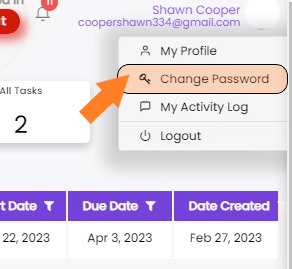
- Go to the top of the perxl window and click on your name, email or your profile image icon.
-
In the dropdown menu, click on My Profile icon.

-
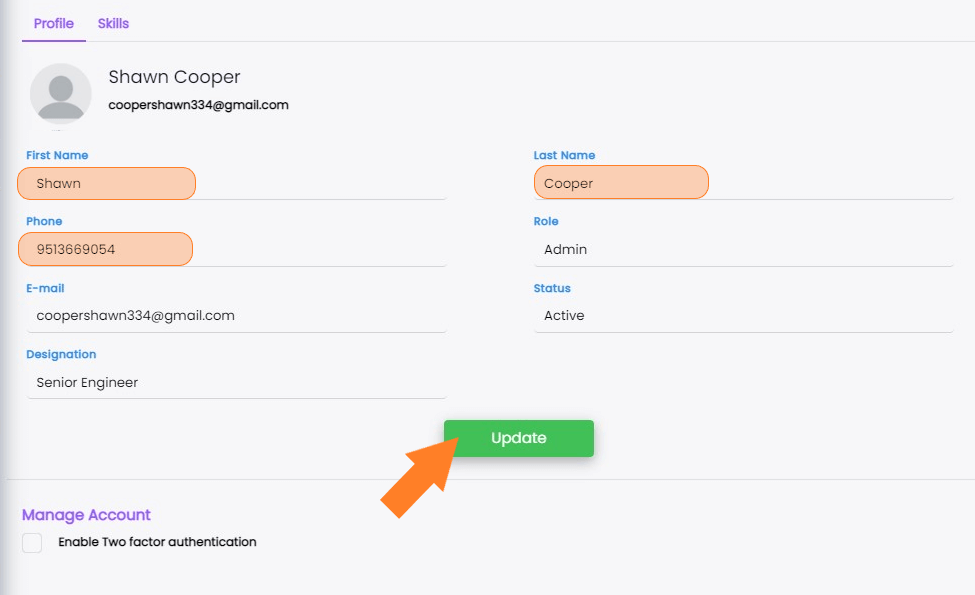
Then a new window will open containing your personal information.
-
You can edit your Phone number, First name and Last name by simply typing the name below the feild names.
-
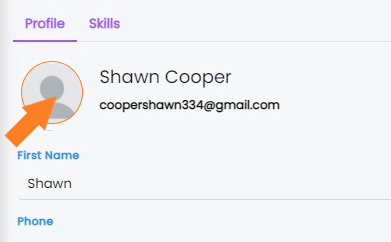
Choose your desired profile image by clicking on your profile image icon, then go to the relevant folder on your computer.
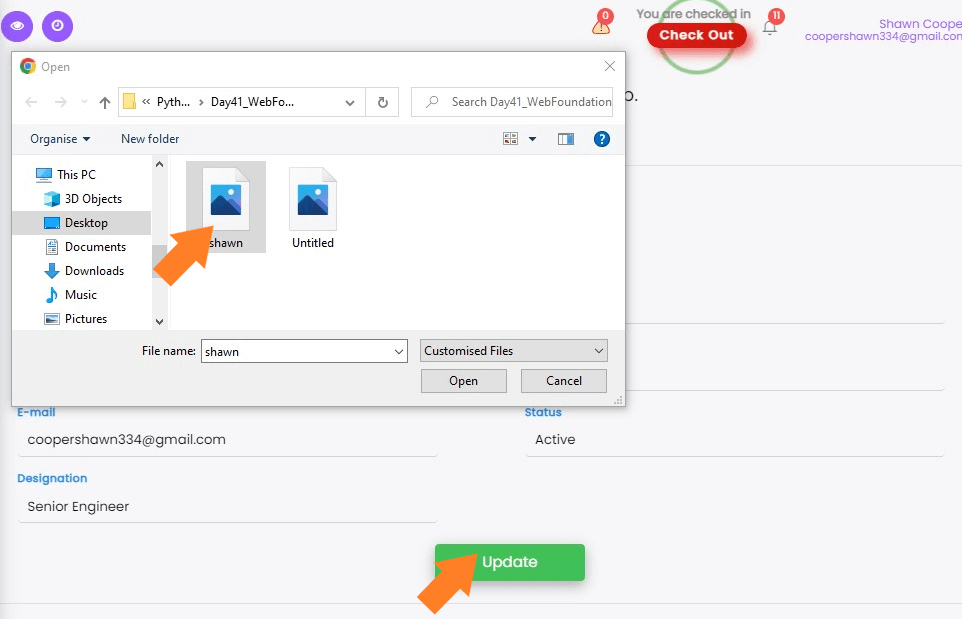
Note: A user's Designation, and Role can only be updated by the administrator.
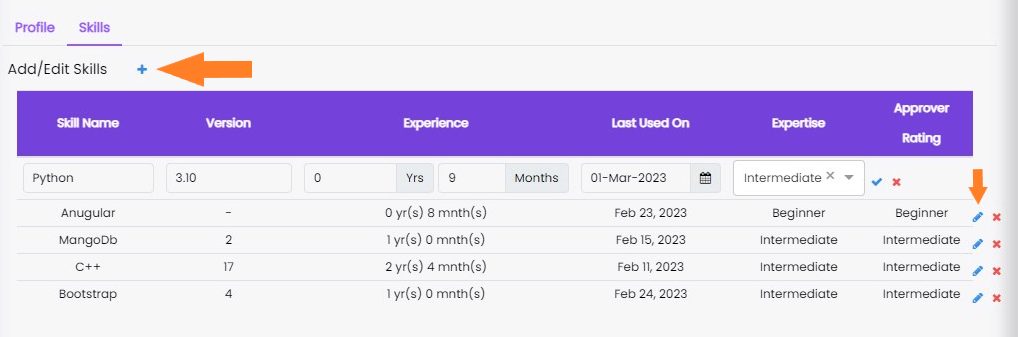
How to add/edit skills you acquire?
- Go to the top of the perxl window and click on your name, email or your profile image icon.
-
In the dropdown menu, click on My Profile icon.
Note: Anybody can upgrade themselves individually by adding a new skill. The approval is only given by the admin or the manager by default
- On the current window click on the skills option on the top right of the window.
-
Click ‘+’ beside Add/Edit Skills to add a new skill or you can click the pen option at the end of the skill to edit it.